New: Psyched to Practice is teaming up with Guilford Press to bring you new books, authors, and CE opportunities.

Key Takeaways

  • HIPAA applies to modern tools like telehealth, EHRs, email, and even app-generated metadata

  • Protecting ePHI requires administrative, physical, and technical safeguards working together

  • Ongoing risk assessment, training, and incident response planning are essential for sustainable compliance

When one small tech choice can compromise confidentiality

Picture a routine telehealth day: you join a video call from a laptop, send a quick follow up message, upload a file to your EHR, and your phone quietly backs everything up to the cloud. None of these steps feel risky, but each one can create a new point where PHI can leak, get misdirected, or be accessed by someone who should not see it.

With telehealth now common in many practices, the goal is to spot the few technology choices that create the biggest confidentiality problems. If you do one thing, do this: map your session flow from start to finish and mark every place PHI appears, moves, or gets stored, even briefly.

Common exposure points to look for on a typical day:

  • A video visit link forwarded to the wrong email address

  • Talking within earshot of roommates, coworkers, or other clients in a shared space

  • Using public Wi Fi in a café or coworking space during documentation

  • Letting apps store call recordings, chat logs, or file previews by default

  • Auto backup and photo sync on a personal phone that also stores client messages

  • Screen notifications that show client names or snippets during sessions

The tradeoff is that convenience settings work best when you are on a dedicated, locked down device with tight permissions, and fail when you mix personal and work accounts or rely on default settings. If you are short on time, skip the deep audit and start with two quick fixes that usually remove a lot of risk: turn off nonessential backups for work data and reduce what appears on lock screens and notifications.

Clarify what HIPAA requires in a modern mental health practice

Next, it helps to translate HIPAA’s Security Rule into a small set of expectations you can check against your daily workflow. The goal is to protect electronic protected health information (ePHI), meaning any identifiable client health information stored or shared electronically, whether it’s in your EHR, on your phone, or in a vendor’s cloud.

A practical way to think about the Security Rule is the CIA triad:

  • Confidentiality: only the right people can access ePHI (for example, a clinician and authorized billing support)

  • Integrity: ePHI stays accurate and unaltered (for example, notes are not edited without tracking or overwritten by sync issues)

  • Availability: ePHI is accessible when needed (for example, you can retrieve a safety plan during an outage)

If you do one thing, start with confidentiality controls that reduce accidental exposure: unique logins, strong passwords, multi-factor authentication, and role-based access (staff only see what they need). This works best when every tool is tied to a work account; it fails when staff share logins or store session files on a personal laptop with no device lock.

Also, HIPAA expects safeguards, which are the day-to-day controls that support confidentiality, integrity, and availability. You can group them into three buckets:

  • Administrative: written policies, staff training, and a risk check at least yearly or after major changes (like adding a new texting tool)

  • Physical: screen privacy in shared spaces, device storage in locked areas, and procedures for lost devices

  • Technical: access controls, audit logs, encryption, secure backups, and automatic timeouts

Here’s the catch: ePHI can live in more places than your EHR, especially in mental health settings. Map it like a client journey and list each stop, including telehealth platforms, session recordings (if you record), voicemail, SMS or secure messaging, email, calendars with appointment details, billing and claims systems, shared cloud drives, scanned intake forms, and analytics dashboards from practice websites. If you’re short on time, map the top 5 tools you use every day first, then add the edge cases like call transcripts and downloaded attachments later.


Make telehealth sessions private from end to end

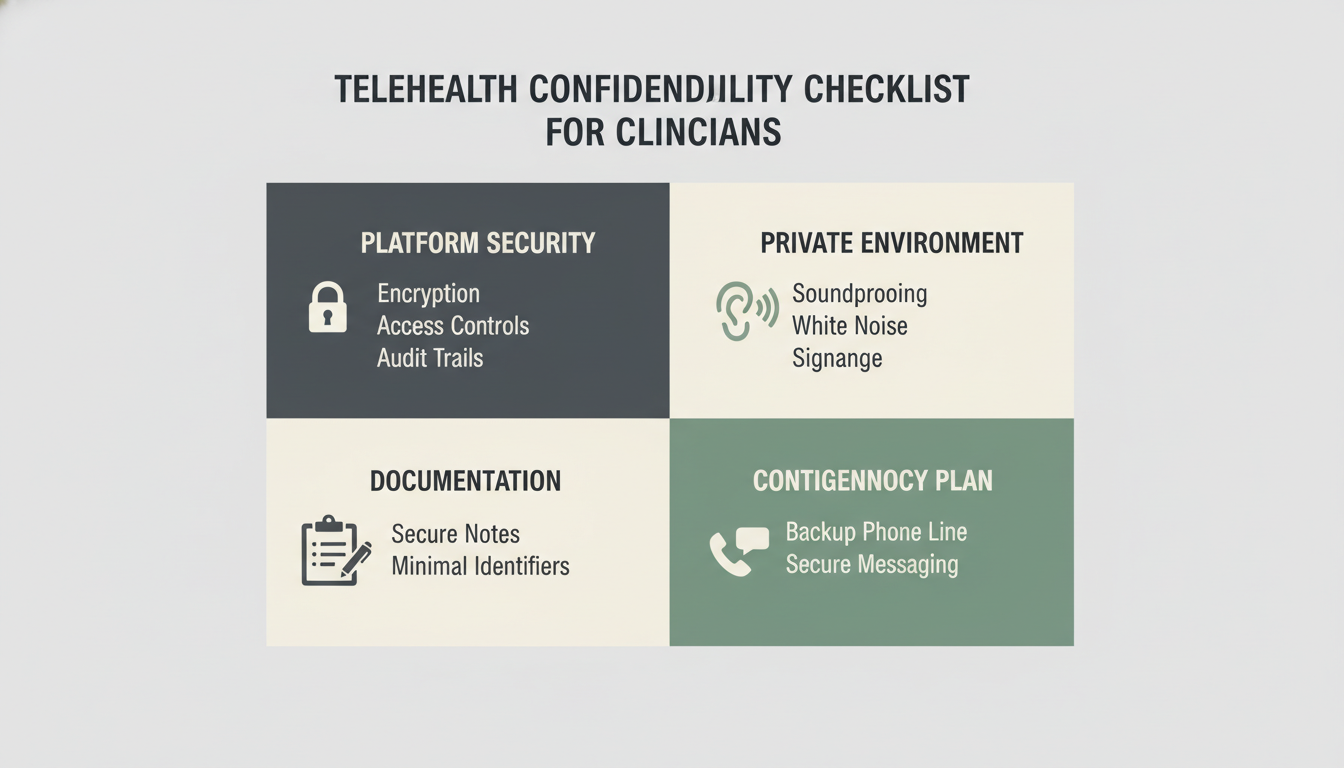
Next, treat privacy as a chain that starts before the call and ends after documentation is stored. Choose your telehealth setup for encryption (data is scrambled in transit), access controls (who can get in), and audit trails (a record of logins and changes), not convenience alone.

If you do one thing, pick a platform where you can clearly answer these questions:

  • Who can start or join a session, and how is identity checked

  • Whether sessions, chat, or files are encrypted in transit and at rest (stored)

  • Whether there are logs for sign-ins, device access, and administrative changes

  • How recordings are handled, and whether recording can be disabled

That said, even a secure platform cannot fix loose session logistics. Lock down the environment and the workflow around the session so a normal day does not turn into an accidental disclosure.

Use this quick end-to-end checklist:

  • Private space: closed door, no smart speaker nearby, screen not visible to others

  • Sound: headphones when possible, white noise outside the door if you share walls

  • Connection: avoid public Wi-Fi, use a trusted network, keep device software up to date

  • Identity: confirm the client’s location and a call-back number at the start (2 minutes)

  • Documentation: write notes in the EHR or approved system, not a sticky note or personal app

  • Backups: agree on a plan if video fails (phone call, secure message) and what number you will use

Common mistake: messaging a client from a personal number or unapproved app when the video drops. Fix: keep a written contingency plan in your calendar invite template and follow it every time

Reduce risk across EHRs, cloud storage, and everyday digital communication

Next, treat your EHR and cloud storage like clinical space, not generic office software. Start by checking what security controls you actually have turned on, then match those controls to how your team works day to day. A secure EHR can still lead to a breach if logins are shared, passwords are weak, or nobody knows what to do after a lost laptop or misdirected email.

If you do one thing, write down and rehearse the three moments that cause the most damage: new user access, sending files, and responding to an incident. Works best when your settings and staff habits match; fails when you rely on “the EHR is secure” as the whole plan.

  • EHR and cloud checklist (30 to 60 minutes per system)

    • Turn on multi-factor authentication (MFA) for all accounts

    • Require unique user logins, never shared credentials

    • Set password rules and a reset process staff can follow

    • Limit access by role (front desk vs clinician vs billing)

    • Confirm encryption for stored data and file transfers

    • Review audit logs and set a monthly spot-check (10 minutes)

    • Write an incident procedure: who to tell, what to record, what to pause

Also, set guardrails for everyday communication so convenience does not decide your privacy level. Email, texting, and social media DMs often live on personal devices, sync to multiple clouds, and can be searched or forwarded without context. Mental health apps can also store sensitive notes or share data with third parties, even when they look “private,” so you need clear boundaries before staff start using them with clients.

Common mistake: letting each clinician “figure out their own system” for texting and apps. Fix it by picking one approved path for client messaging, one for file sharing, and one script for saying no when a client requests Instagram DMs.

  • Communication guardrails to document and train (15 minutes in onboarding, 10 minutes refresh)

    • Email: when it is allowed, what cannot be sent, and how to verify the recipient

    • Texting: whether it is allowed, what content is off-limits, and how to handle phone changes

    • Social media: no clinical communication in comments or DMs, and how to redirect clients

    • File sharing: approved tools only, no personal drives or “quick send” links

    • Apps: approve specific tools, define what data can be entered, and what to do if an app stores session content

Closing remarks

Trust is the foundation of therapy, and in the digital age, trust also includes how you handle client data.

Next, pick one technology workflow you can audit this week to better protect confidentiality and strengthen client trust.

  • Review who can access your EHR and remove old accounts

  • Check whether your video visits use a private meeting link and a waiting room

  • Confirm where client files are stored and whether sharing links expire